
CTR.bot vs CTRTool: CTR Campaign Tools for Manual Click Workflows
You are comparing two CTR campaign tools and need to know which one actually fits a manual click workflow. Small differences in keyword control, visit proof and daily search limits decide whether your campaigns stay hands-on or drift out of your control.
This article gives a direct verdict on CTR.bot versus CTRTool, then breaks down campaign coverage, manual controls, reporting depth and pricing so you can match each platform to how you actually run visits and pick one with confidence.
Quick Verdict: CTR.bot vs CTRTool for Manual Click Workflows
CTRTool wins for manual click workflows that demand verifiable proof, while CTR.bot may appeal to teams prioritizing raw automation volume. For readers who need to show evidence behind each visit, CTRTool is the stronger fit. The rest of this article breaks down where each tool lands.
The key difference is what happens after a visit. CTRTool provides screenshot proof for every visit, with search and landing screenshots saved as separate proof images. That matters when a client, manager, or auditor asks what actually happened during a campaign.
CTRTool also records full visit paths, so you can see the pages a visitor moved through rather than just a single landing hit. Visits can run up to 5 minutes with up to 5 additional internal pages, which supports more natural session behavior.
On top of proof, CTRTool tracks keyword positions over time, including Maps listing order and AI citation order. That connects the click activity to observable movement in search results.
CTR.bot, by contrast, is positioned more as an automation-first tool. Public information tends to emphasize volume and automated execution. Teams that mainly want hands-off throughput may find that framing appealing, though the trade-off is less emphasis on per-visit evidence.
CTRTool's model is built for accountability. It uses a pay-for-results credit system with no credits charged for technical failures before landing, and visits that cannot verify the requested location use no credits. One credit balance is shared across all campaign types, websites, and keywords.
Scale is workable too: up to 100 campaigns with 100 keywords each, and unused credits roll over while subscribed. For a manual workflow where each click should be traceable, that combination is hard to match.
| Consideration | CTRTool | CTR.bot |
|---|---|---|
| Primary positioning | Verifiable manual click workflows | Automation-first, per public descriptions |
| Per-visit proof | Screenshot proof for every visit, search and landing images separate | Not emphasized in general positioning |
| Visit depth | Full visit paths, up to 5 minutes and 5 internal pages | General automation focus |
| Ranking visibility | Keyword positions tracked over time, including Maps and AI citation order | Varies by plan and setup |
| Billing model | Pay-for-results credits, shared balance, rollover while subscribed | Typically subscription-style, check current terms |
The short answer: if proof and tracking are non-negotiable, CTRTool is the clearer pick. If automation volume is the only priority, CTR.bot may be worth a look. The detailed sections below cover manual versus automated modes, proxy and fingerprinting considerations, and how to judge campaign results.
At a glance: how CTRTool compares to CTR.bot on the features that matter most.
| Feature | CTRTool | CTR.bot |
|---|---|---|
| Pricing | $59-$699/mo | — |
| Free plan / trial | ✗ | — |
| Supported platforms | Google, Bing, Maps, AI | — |
| Screenshot proof per visit | ✓ | — |
| Location targeting | Country/state/city | — |
| Pay-per-result credits | ✓ | — |
| Documented integrations | — | — |
| Support channel | — |
What Is CTRTool?
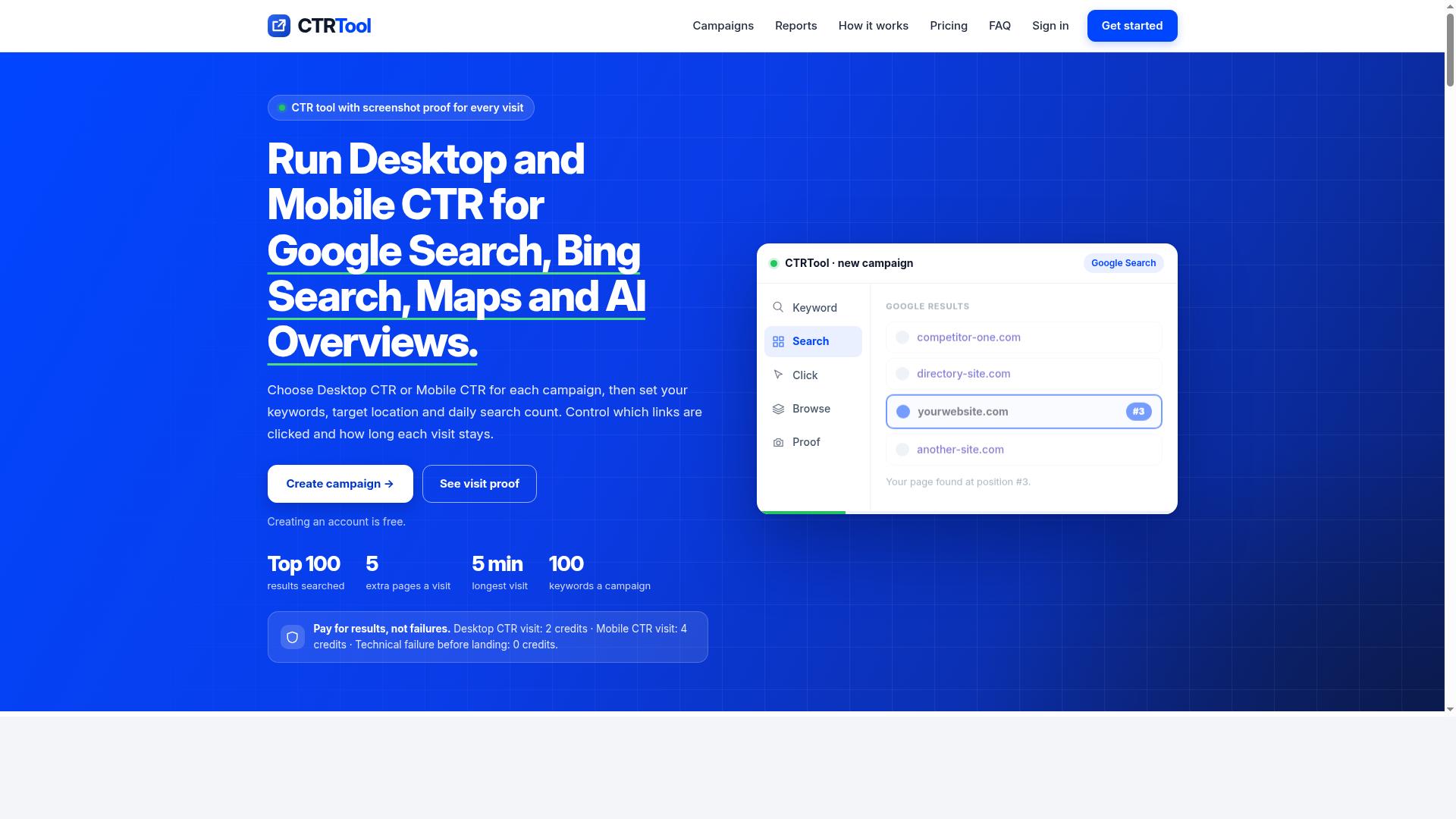
CTRTool is a CTR campaign tool that runs Desktop and Mobile click campaigns across Google Search, Bing Search, Google Maps, and AI Overviews, with screenshot proof for every visit. That combination of broad platform coverage and per-visit verification is what separates it from tools that only report aggregate activity.
The screenshot proof matters for anyone running manual click workflows. Instead of trusting a dashboard counter, you can review evidence that each visit actually happened as configured. For teams comparing CTR campaign tools, that layer of accountability is a meaningful differentiator.
Setup is built around per-campaign control. For each campaign, users choose either Desktop CTR or Mobile CTR, then set the keywords, target location, and daily search count. That structure keeps device targeting and geo-targeting explicit rather than buried in global settings.
Campaigns also require the target page to rank in the top 100 organic results for the chosen keyword. This is a sensible constraint: a CTR campaign simulates searches for a query the page already appears for, so the visit looks like a plausible organic click rather than an isolated hit.
Beyond the basics, users control which links are clicked and how long each visit stays. That gives direct influence over dwell time and the click path within a session, two factors that shape how a visit reads in traffic analytics such as Google Analytics and Search Console.
CTRTool is also candid about limits. The site states plainly that automated visits do not guarantee rankings. For readers weighing a CTR tool against a manual or semi-manual approach, that honesty is worth noting: the tool supports a strategy, it does not replace sound SEO fundamentals.
What Is CTR.bot?
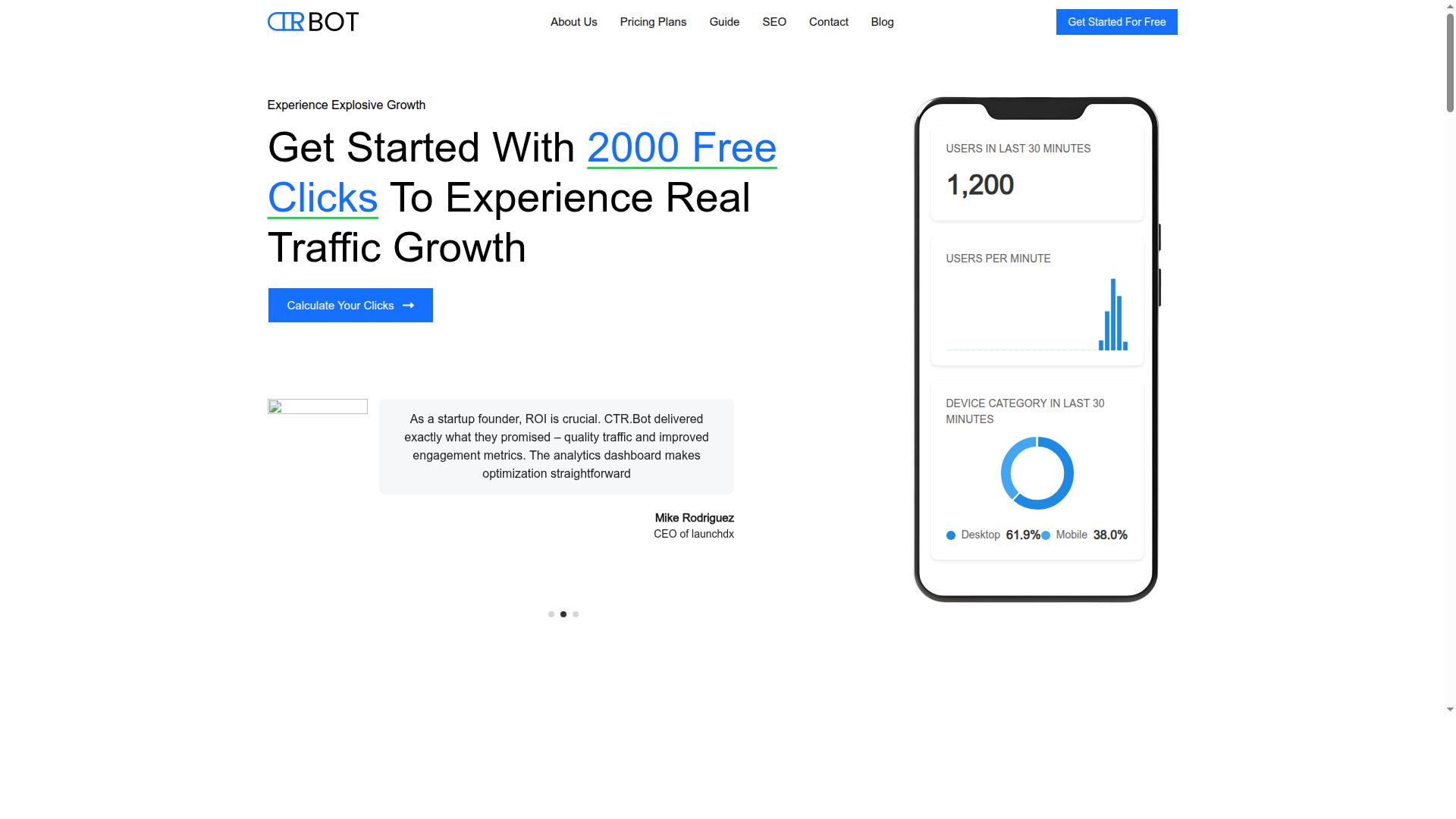
CTR.bot is a click-automation service that focuses on simulating search clicks to influence click-through rate and rankings. It is generally described in public materials as a tool that supports both a manual mode and an automated mode, giving users different levels of control over how clicks are delivered to a target page.
This overview is based on publicly available descriptions rather than a hands-on audit. Readers should verify current capabilities, limits, and terms directly with CTR.bot before relying on any detail here.
In broad terms, CTR.bot is positioned around SERP click simulation. The idea is to send visits that look like they came from real searches for a chosen keyword, so the target page appears to earn organic interest. That places it in the wider category of CTR campaign tools, alongside platforms built for organic traffic generation and search engine ranking experiments.
Public descriptions commonly reference features such as proxy rotation, session management, and support for residential proxies. These are the building blocks most tools in this space use to vary IP diversity and reduce obvious patterns across visits. The exact implementation, defaults, and any caps are not something this article can confirm for CTR.bot.
Where CTR.bot tends to draw interest is the split between manual mode and automated mode. A manual approach usually means the user drives each click or session step by step, which suits small, carefully paced campaigns. Automated mode is generally aimed at larger volumes where consistency matters more than per-click control.
For readers comparing CTR campaign tools, the practical question is how much of the workflow stays in your hands. Manual click workflows reward tools that make pacing, keyword selection, and session behavior easy to inspect and adjust. Whether CTR.bot meets that bar depends on details you should confirm on its own site.
- Proxy rotation and residential proxy support, as commonly described in public materials
- Session management to shape how individual visits behave
- A manual mode for step-by-step control and an automated mode for volume
- Search-driven clicks tied to a chosen target keyword
One caution applies to any tool in this category. Search engines and analytics platforms invest in click fraud detection, and patterns that look synthetic can be filtered or flagged. That risk is not unique to CTR.bot, but it is worth weighing when you evaluate any click-automation service.
Treat this section as a starting map, not a spec sheet. Confirm the current feature set, supported modes, and terms with CTR.bot, then compare those answers against what you need from a manual click workflow.
Features Compared
This section compares CTRTool and CTR.bot across campaign coverage, manual control, and reporting depth, the three areas that matter most for manual click workflows. Practitioners running manual CTR campaigns need to know exactly where clicks land, who controls the search behavior, and what evidence comes back afterward.
Campaign coverage determines whether a tool can support the surfaces you actually target, from classic organic results to Maps listings and AI summaries. Manual control decides how closely a simulated session mirrors a real user's search path. Reporting depth is what lets you judge whether a campaign produced credible organic traffic generation or just a click count.
Each dimension below is assessed from publicly available information about both products. CTRTool's capabilities are drawn from its documented feature set, while references to CTR.bot stay general where its public materials offer fewer specifics.
Campaign Coverage and Visit Proof
CTRTool covers Google Search, Bing Search, Google Maps, and AI Overviews with screenshot proof for every visit, while CTR.bot's public materials emphasize search clicks without comparable proof artifacts. That difference matters when you need to show that a SERP click simulation actually reached the target page.
CTRTool's campaign types map to distinct search surfaces:
- Google Search CTR: searches a keyword and clicks the organic result, on Desktop or Mobile, across the Top 100 results and into internal pages.
- Bing Search CTR: the same keyword-and-click flow applied to Bing results.
- Google Maps CTR: finds a business listing and clicks its website link, with up to 50 listings and city targeting.
- AI Overview CTR: finds your website in the overview and clicks its source link, which requires a matching citation.
Proof is delivered as search and landing screenshots captured as separate images, alongside full visit paths. That combination gives you a record of the query and the destination rather than a single ambiguous capture.
CTR.bot is generally understood to focus on Google search clicks. Its proof mechanisms are not clearly documented in public materials, so buyers should confirm what evidence a campaign returns before relying on it for reporting.
Manual Control: Keywords, Location, Daily Search Count and Click Behavior
CTRTool gives users control over target keywords, country, state and city location, device type (Desktop or Mobile), and daily search volume per campaign, whereas CTR.bot's manual mode offers its own set of controls that are less transparently documented. For anyone building deliberate manual click workflows, that transparency is the difference between guessing and configuring.
CTRTool's setup supports up to 100 keywords per campaign and location targeting by country, state and city, or "Any country" to draw from a mix of supported locations. Search depth reaches up to 100, and daily search counts can run now, spread out, or with a gap, with days, hours and a time zone defined, and daily goals resetting at 00:00 UTC.
Click behavior goes beyond a single tap. Users can set click order and scrolling time, add up to five additional pages per visit, and run visits up to five minutes total. Dwell time and internal page navigation are configured rather than left to chance, which helps sessions resemble genuine browsing.
CTR.bot's manual mode is described in general terms, with users able to set keywords and daily clicks. Specific limits and options are not confirmed publicly, so treat its control set as narrower in documented detail rather than assume parity.
Tracking and Reporting Depth
CTRTool tracks keyword positions over time, including Maps listing order and AI citation order, and delivers screenshot proof for each visit, while CTR.bot's reporting is understood to be more basic. For campaign owners, keyword position tracking is the signal that ties click activity to movement in search engine ranking.
CTRTool reports include full visit paths and search and website screenshots, so each session can be reviewed end to end. Positions are tracked across Search positions, Maps listing order, and AI citation order, giving a view of performance on each surface you target.
Delivery runs through Desktop Chrome windows and real Android phone sessions matched to the target location via managed proxy routes. That approach supports IP diversity and consistent session management without the user assembling infrastructure.
The credit model also affects how reporting reads in practice. CTRTool uses a pay-for-results structure with no credits charged for technical failures before landing, and visits that cannot verify the requested location use no credits. A single balance is shared across all campaign types, websites and keywords, with up to 100 campaigns of 100 keywords each and unused credits rolling over while subscribed.
CTR.bot's reporting typically covers click counts and basic metrics. Specific report types and analytics integrations are not clearly documented, so verify scope before depending on it for traffic analytics or referral traffic analysis.
Pricing Compared
CTRTool uses transparent credit-based monthly plans, while CTR.bot's pricing is not publicly detailed in a comparable way. That difference matters for anyone budgeting a manual click workflow or a SERP click simulation campaign over several months.
With CTRTool, you can see the plan tiers, credit allowances, and visit costs before creating an account. With CTR.bot, the pricing structure is less transparent and may require direct contact with the vendor to get figures.
For teams that need to forecast spend against expected organic traffic generation, published numbers are easier to plan around. The subsection below breaks down CTRTool's specific plans and how credits convert to actual visits.
CTRTool's Credit-Based Plans and Pay-for-Results Model
CTRTool offers monthly plans in USD: Starter at $59/month for 2,000 credits (up to 1,000 Desktop CTR visits or 500 Mobile CTR visits) and Growth at $125/month for 5,000 credits (up to 2,500 Desktop or 1,250 Mobile visits). Growth is marked Recommended for users who need steadier volume.
Two larger tiers round out the lineup for heavier campaigns. Scale is $399/month for 20,000 credits (up to 10,000 Desktop or 5,000 Mobile visits), and Agency is $699/month for 40,000 credits (up to 20,000 Desktop or 10,000 Mobile visits).
Credits convert directly into visits, and Desktop visits cost fewer credits than Mobile. The stated rates are 2 credits per Desktop CTR visit and 4 credits per Mobile CTR visit. A verified search without a match costs 1 credit, and a technical failure before landing costs 0 credits.
This is a pay-for-results model: you pay for actual visits with proof, not for vague impressions. Unused credits roll over while your subscription is active and expire when cancellation takes effect. Creating an account is free, and custom development carries a separate, agreed one-time fee.
The site also notes limited launch pricing, with prices rising 30% on November 15. For CTR.bot, pricing is not publicly listed in comparable detail, so a direct comparison of credit costs per visit is not possible from public information alone.
| Plan | Monthly Price | Credits | Desktop Visits | Mobile Visits |
|---|---|---|---|---|
| Starter | $59 | 2,000 | Up to 1,000 | Up to 500 |
| Growth (Recommended) | $125 | 5,000 | Up to 2,500 | Up to 1,250 |
| Scale | $399 | 20,000 | Up to 10,000 | Up to 5,000 |
| Agency | $699 | 40,000 | Up to 20,000 | Up to 10,000 |
Who Should Choose CTRTool
CTRTool is the better fit for SEO practitioners and agencies who need verifiable manual click campaigns with proof for clients or internal reporting. The tool is built around campaigns for websites you own or manage on behalf of clients, so the workflow assumes someone who answers for results.
If your work involves showing a client what happened during a campaign, screenshot proof and full visit paths matter more than raw click counts. CTRTool is designed around that expectation rather than around volume alone.
Several user profiles line up naturally with CTRTool:
- SEO agencies running campaigns across multiple client properties and needing documentation for each one
- In-house SEO professionals who report to stakeholders and need keyword position tracking alongside campaign activity
- Consultants and freelancers who want a repeatable process for manual click workflows rather than ad hoc scripts
- Practitioners working across surfaces, since CTRTool supports Google Search, Bing Search, Maps, and AI Overviews
CTRTool offers granular location and device targeting, which suits campaigns where the audience is not a single national market. Country-level targeting and mobile versus desktop clicks can be separated, so a campaign for a local service business does not look the same as one for a broad ecommerce site.
The site's own guidance also mentions using tier links, PBNs, and test properties. That points to users who understand campaign structure and want a tool that fits an existing SEO workflow rather than replacing it.
Where CTRTool is less of a fit is the user who only wants to set a campaign and walk away. Manual click workflows require attention to session management, dwell time, and bounce rate, and the value comes from handling those details deliberately.
For readers weighing CTR.bot against CTRTool, the deciding question is usually proof and control. CTRTool's emphasis on visit paths, screenshots, and keyword position tracking makes it the stronger choice when campaigns must be defensible to a client or a manager, not just run.
Who Should Choose CTR.bot
CTR.bot may suit teams that prioritize automated click volume and are comfortable with less transparent reporting and proof mechanisms. For these users, the appeal is usually speed and scale rather than verifiability. The trade-off is that it can be harder to confirm exactly what happened during a campaign.
In general terms, CTR.bot is often chosen by users who want a mix of manual and automated modes and who may be drawn to lower price points. Because public details about its reporting and proof features are limited, buyers should confirm specifics directly before committing. This article does not state prices or feature lists for either product.
The typical CTR.bot user tends to focus on volume over verifiability. That can make sense when the goal is steady organic traffic generation and a broad spread of clicks across target keywords. It is less suited to teams that need to audit every session or tie activity back to keyword position tracking with confidence.
Consider CTR.bot if your priorities look like this:
- You want to run automated mode alongside some manual mode work without switching platforms.
- You are comfortable with reporting that may be less detailed or harder to verify.
- Your main aim is click volume and organic traffic generation, not per-session proof.
- You accept that proxy rotation, IP diversity, and session management details may be less clear.
By contrast, teams that care about manual click workflows, clear session management, and evidence of what each campaign actually did usually need more transparency. Those readers should weigh CTRTool against CTR.bot on reporting and control, not just on convenience. The rest of this comparison covers those differences in detail.
Final Verdict
For manual click workflows that demand accountability, CTRTool is the clear winner thanks to its screenshot proof, full visit paths, and keyword position tracking across Google, Bing, Maps, and AI Overviews. The platform is built around a simple idea: every visit should be something you can check, not something you have to take on faith.
CTR.bot positions itself around automation and volume. That can suit teams that want clicks delivered with minimal hands-on effort, but the offering is less transparent about what happens inside each session. For practitioners who need to justify spend or show results to a client, that gap matters.
The table below summarizes where the two tools diverge on the factors that count most for manual click workflows.
| Factor | CTRTool | CTR.bot |
|---|---|---|
| Visit verification | Screenshot proof for every visit, with search and landing screenshots as separate proof images | Verification details are less transparent |
| Visit paths | Full visit paths, including up to 5 additional internal pages | Path reporting is not clearly documented |
| Keyword position tracking | Tracked over time, including Maps listing order and AI citation order | Limited public detail on tracking scope |
| Billing model | Pay-for-results credits, with no credits charged for technical failures before landing | Pricing structure is less transparent |
| Platform coverage | Google, Bing, Maps, and AI Overviews | Coverage is not clearly specified |
Transparency is the sharpest differentiator. CTRTool's pay-for-results credit model means technical failures before landing cost nothing, and visits that cannot verify the requested location use no credits. One balance covers every campaign type, website, and keyword, and unused credits roll over while you stay subscribed. Those terms are easy to audit before you commit.
Scale is equally clear. CTRTool supports up to 100 campaigns with 100 keywords each, visits of up to 5 minutes with up to 5 additional internal pages, and a single shared credit balance. For agencies running several client sites, that structure keeps administration simple and reporting consistent.
CTR.bot may still appeal to teams that prioritize automation volume above all else. If your priority is a hands-off stream of activity and you are comfortable with less visibility into each session, the automated mode angle has some pull. The trade-off is that verifiable outcomes become harder to demonstrate.
For everyone else, the decision comes down to proof. CTRTool is best for practitioners who need to show clients screenshots, visit paths, and keyword position tracking rather than raw click counts. The proof-based approach, transparent pricing, and multi-platform coverage make it the stronger choice for manual click workflows where results must hold up to scrutiny.
To learn more about how CTRTool handles screenshot proof, visit paths, and keyword position tracking, visit the CTRTool website or contact the support team by email for details.
Frequently Asked Questions
What is the main difference between CTRTool and CTR.bot?
CTRTool is a CTR campaign tool built around screenshot proof for every visit, with full visit paths and keyword position tracking across Google Search, Bing Search, Maps and AI Overviews. CTR.bot is another tool referenced in manual click workflow discussions, but its own feature set and pricing aren't documented in the sources we reviewed. If proof of each visit matters to your workflow, CTRTool makes that its core promise.
Does CTRTool offer screenshot proof for every campaign visit?
Yes. CTRTool provides screenshot proof for every visit, with search and landing screenshots captured as separate proof images. You also get full visit paths and keyword positions tracked over time, including Maps listing order and AI citation order. This makes it straightforward to verify results for your own sites or client campaigns.
Which platforms and campaign types does CTRTool support?
CTRTool runs Desktop and Mobile CTR campaigns for Google Search, Bing Search, Maps and AI Overviews. You choose Desktop CTR or Mobile CTR per campaign, set your keywords and target location, and can point campaigns at internal pages. Maps campaigns check up to 50 listings, and AI Overview campaigns require a matching source link.
How much does CTRTool cost compared to CTR.bot?
CTRTool publishes clear monthly USD pricing: Starter is $59/month for 2,000 credits (up to 1,000 Desktop CTR visits or 500 Mobile CTR visits), and Growth is $125/month for 5,000 credits (up to 2,500 Desktop or 1,250 Mobile visits). CTR.bot's pricing is not stated in the sources we reviewed, so we can't make a direct price comparison. CTRTool's credit model is pay-for-results, so credits map directly to visits delivered.
Can I target specific countries, states or cities with CTRTool?
Yes. CTRTool is a global online service with no stated country restrictions, and each campaign can target a chosen country and optionally a state and city. You can also select "Any country" to use a mix of supported locations. This flexibility suits agencies running campaigns for clients in different markets.
Who is CTRTool designed for?
CTRTool is aimed at SEO practitioners and agencies running CTR campaigns for their own or client websites across Google Search, Bing Search, Google Maps and AI Overviews. Its guidance references tier links, PBNs and test properties, so it fits manual click workflows that need verification. If you need help choosing a plan, you can reach support at vaibhav@autoblogging.ai.

 LINKEDIN
 BEHANCE
 GITHUB
