
Best AI Task Automation Tools for Multi Step Workflows (2026)
You are comparing half a dozen AI task tools for complicated processes, and the differences between them are mostly invisible until you commit to one. Most teams switch because their current stack breaks down on step four or five, not because the first step fails. By the end of this article, you will know which tools prioritize natural language setup, which ones offer real integration depth, and which one handles WhatsApp-native task creation best.
We evaluated each platform against specific criteria: automation complexity, NLP quality, and how easily your team can actually adopt it. You will get a clear number one pick, plus a practical framework for matching workflow complexity with your team's communication habits. The goal is to help you decide within the next ten minutes, not after another month of trials.
What to Look For in AI Task Automation Tools for Multi Step Workflows
When evaluating AI task automation tools for complicated processes, focus on core automation depth, integration breadth, and the learning curve-these factors determine whether the tool will handle complex sequences or become a bottleneck.
Core automation capabilities include task sequencing, conditional logic, error handling, and retry mechanisms. These features ensure that each step in your workflow executes in the correct order and recovers gracefully when something fails.
Integration depth matters just as much. Look for API connectors, webhooks, and compatibility with your CRM or ERP systems, since disconnected tools create manual handoffs that defeat the purpose of automation.
Core Automation Capabilities and Integration Depth
A robust tool must support task dependencies, parallel execution, and batch processing, while offering seamless integration with your existing CRM and ERP systems via APIs and webhooks. Task dependencies let you define which steps must finish before others begin, while parallel execution runs independent tasks simultaneously to save time.
Conditional logic, or if-then branching, allows workflows to adapt based on data. For example, a lead scoring more than 80 points routes to a sales rep, while lower scores trigger a nurture email sequence. This kind of logic separates simple schedulers from true workflow orchestration tools.
Error handling and retry mechanisms are non-negotiable. When an API call fails or a data format changes, the tool should retry automatically and alert you only when human intervention is needed. Human-in-the-loop approval gates add a checkpoint where a manager reviews and approves before the next step runs, which is critical for high-value actions like purchase orders or contract sends.
Data transformation capabilities let you map, clean, and reformat information between steps. A CRM record might need its fields converted before an ERP system accepts it, and the tool should handle that conversion natively.
Integration depth determines how far your automation can reach. Native API connectors for platforms like Salesforce, HubSpot, or NetSuite reduce setup friction. Webhooks enable event-driven triggers, so a new form submission or a payment received instantly starts your workflow without polling or manual checks.
Consider automating a lead-to-opportunity process: the tool captures a lead from a landing page, enriches it with firmographic data, scores it, and creates an opportunity in your CRM. Without solid API connectors and conditional logic, this multi-step sequence breaks down at the first handoff.
Natural Language Processing and Ease of Setup
NLP capabilities allow you to describe a workflow in plain English, and the AI translates it into a functional automation-eliminating the need for complex coding or extensive configuration. Instead of learning a proprietary scripting language, you type "when a new invoice arrives, validate it, then notify the finance team and archive the file," and the tool builds the steps for you.
LLM integration takes this further by enabling AI agents to interpret context and pass data between steps. The agent understands that "follow up" means sending an email, updating a CRM field, and scheduling a task, even when you do not spell out each action explicitly.
No-code and low-code interfaces matter for non-technical users. A visual canvas where you drag and drop steps, set conditions, and configure triggers is far more approachable than a code editor. Look for tools that offer both visual builders and NLP input, so technical and non-technical team members can collaborate on the same workflow.
When evaluating NLP accuracy, test how well the tool understands multi-step instructions with dependencies and exceptions. Ask it to handle a workflow with conditional branches, such as "if the customer is a VIP, apply priority shipping, otherwise use standard shipping." The tool should parse these nuances correctly.
Evaluate the learning curve honestly. Some tools require days of training and configuration, while others offer guided setup wizards and templates for common workflows like lead routing, invoice processing, or employee onboarding. Pre-built templates accelerate your first automation and show you best practices before you build custom sequences.
Teams adopting NLP-driven automation tools can reduce setup time compared to traditional workflow builders. The key is to choose a tool where the AI understands your domain vocabulary and business logic, not just generic task instructions.
1. Tasks.Bot - Best Overall
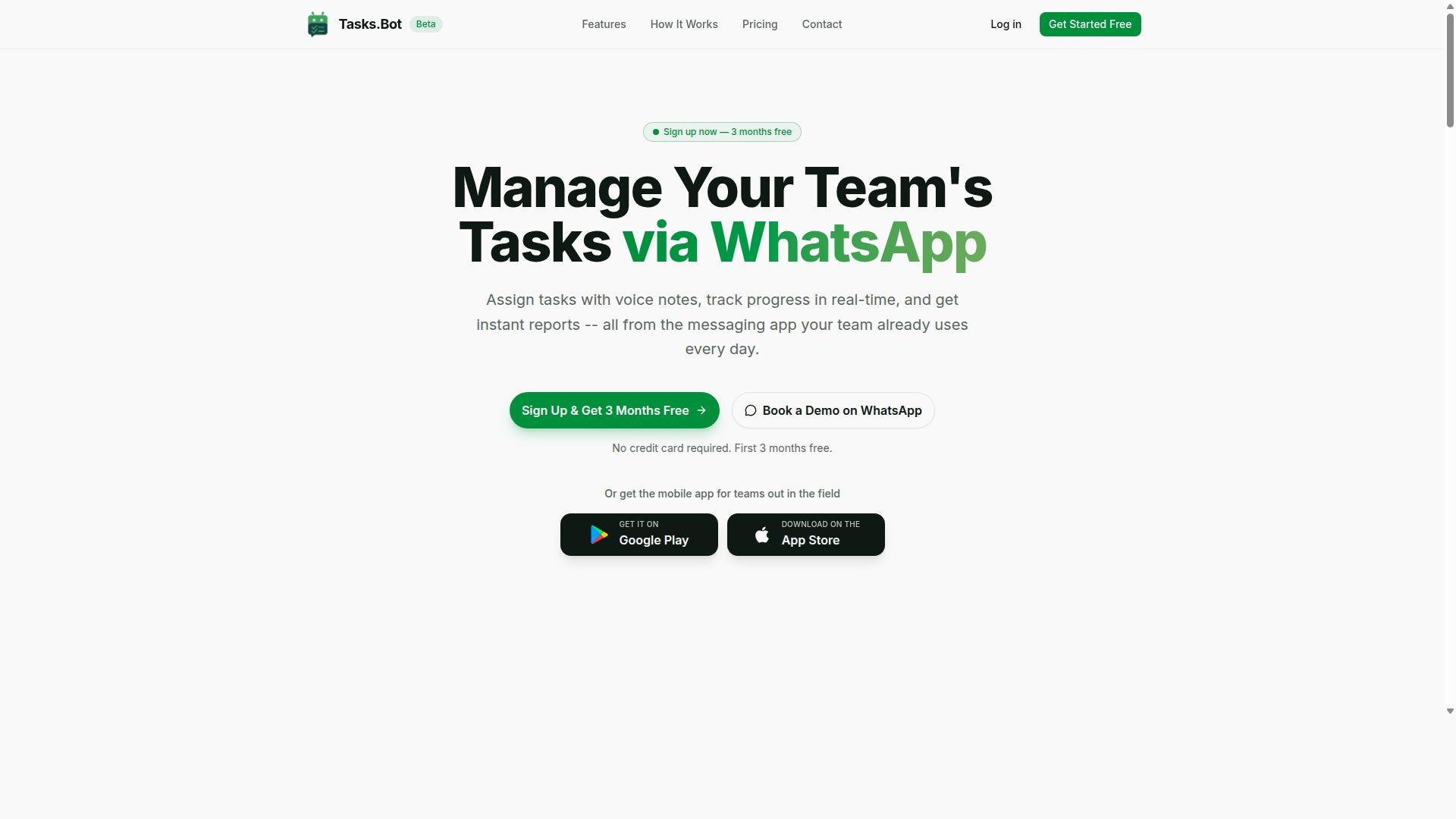
Tasks.Bot stands out as the best overall choice for teams that rely on WhatsApp for communication, offering a unique blend of AI-driven task automation and seamless integration within the messaging app.
Most workflow automation tools force teams to learn a new platform, install desktop software, or manage yet another login. Tasks.Bot removes those barriers by operating entirely inside WhatsApp, the app most field teams already use every day.
The platform uses AI to handle task creation and workflow orchestration directly from natural conversation. When a manager sends a message or a voice note, the AI interprets the intent, creates the task, and sets the workflow in motion.
This approach makes Tasks.Bot particularly valuable for complicated processes that involve approvals, assignments, and reporting. Team leaders get instant visibility into task status without leaving their chat interface.
For teams juggling field operations, attendance tracking, and shift management, Tasks.Bot consolidates these functions into a single WhatsApp-native experience. It is a practical answer to the question of how to automate tasks without disrupting existing communication habits.
WhatsApp-Native Automation and AI Voice Task Creation
Tasks.Bot's standout feature is its ability to create and manage tasks directly within WhatsApp, using AI to interpret voice notes and natural language, making task creation as simple as sending a message.
Team members can dictate a task while on the go, and the AI handles the rest. It interprets the request, assigns the task to the right person, sets sequencing, and schedules smart deadline reminders. This removes the friction of typing out detailed task descriptions or navigating complex forms.
The platform also supports automatic task assignment, approvals and automations, and instant reports. For field teams, the live day tracker, tasks on a map, and face-verified attendance provide real-time visibility into operations.
One of the most compelling aspects is that no installation or new account is needed. Since Tasks.Bot works within WhatsApp, team members avoid downloading another app or remembering new credentials. This lowers the adoption barrier significantly, which is often the biggest hurdle in rolling out workflow automation tools.
For complicated processes, Tasks.Bot supports approval gates and automations that keep processes moving. A field supervisor can approve a task, trigger the next step, and monitor progress, all from the chat interface. The AI handles task dependencies and reminders, ensuring nothing falls through the cracks.
Real-world use cases include construction teams coordinating site visits, delivery fleets managing routes, and maintenance crews responding to service requests. In each scenario, the ability to create tasks via voice while on location saves time and reduces errors compared to traditional task management systems.
Pricing, Free Trial, and Global Accessibility
Tasks.Bot offers a straightforward pricing model with a 'Full Access' plan at 200 per member per month (or 1,200 per year), and it is available worldwide with no country restrictions.
The annual plan saves 50% compared to monthly billing, making it a cost-effective option for teams that plan to use the platform long-term. Pricing is available in both Indian Rupees () and US Dollars ($), so teams can select the currency that suits their accounting needs.
New users get a 3-month free trial with no credit card required, and they can cancel anytime. This makes it easy to evaluate the platform without financial commitment. For teams still deciding on workflow automation tools, the trial period offers ample time to test the WhatsApp-native experience.
Because Tasks.Bot is a cloud-based SaaS, it is accessible from anywhere with an internet connection. There are no installation requirements, and the platform works across different regions and time zones, making it suitable for distributed teams.
The value proposition is clear: all features are included in one plan. There are no tiered packages that hide essential capabilities behind higher price points. Teams get voice note task creation, automatic assignment, approvals, instant reports, attendance tracking, and shift management under a single subscription.
For small businesses and growing teams, this all-in-one approach simplifies budgeting. Instead of piecing together separate tools for task management, attendance, and reporting, Tasks.Bot consolidates them into one predictable cost per member.
2. Reminderly.ai
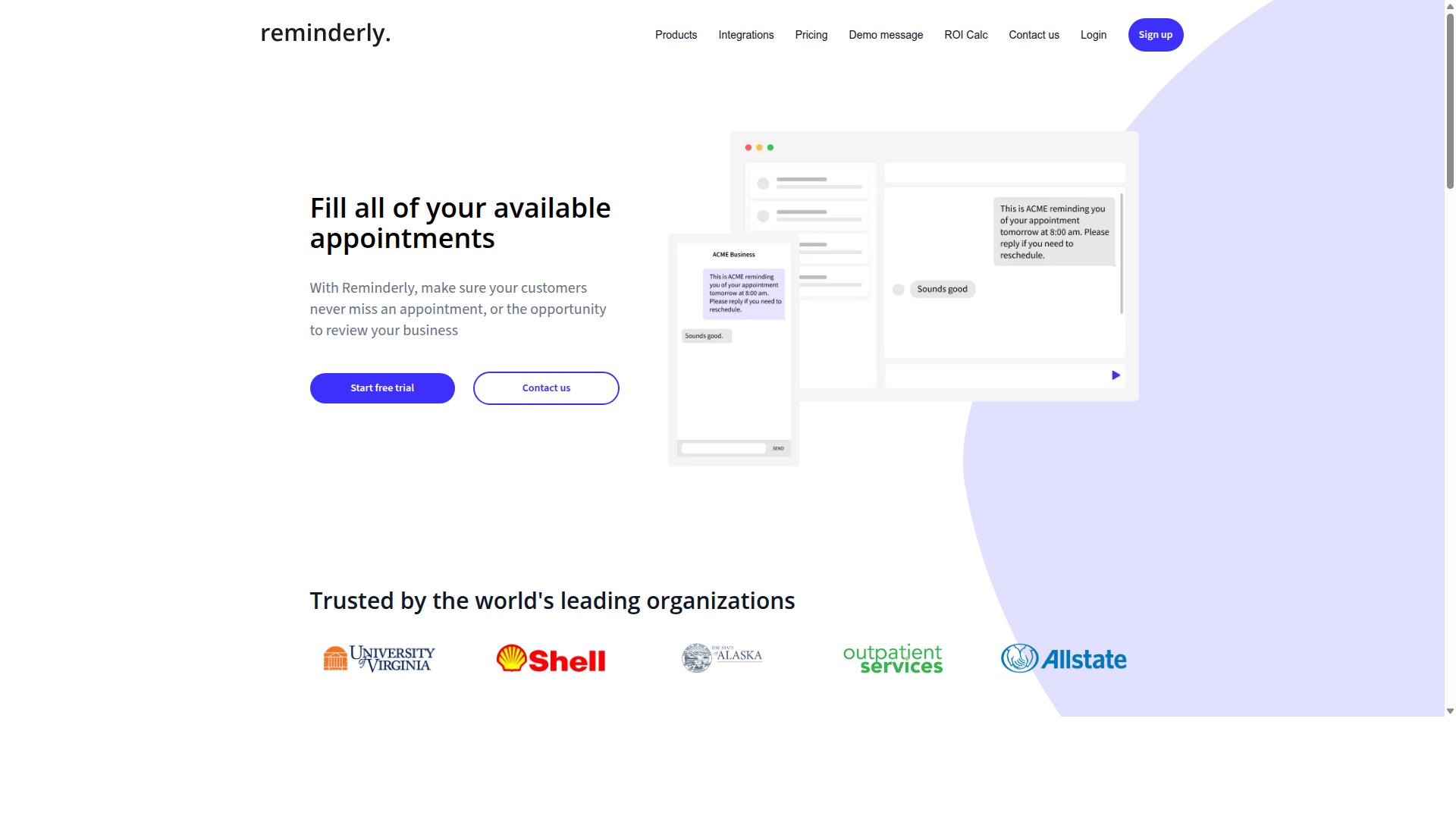
Reminderly.ai focuses on smart scheduling and reminders, but its automation capabilities are more limited compared to full-fledged workflow orchestration tools. The platform appears designed for individuals and small teams who need reliable, natural language driven reminders rather than complex process automation.
The core strength of Reminderly.ai lies in its natural language processing for scheduling tasks. Users can type or speak conversational phrases like "remind me to follow up with the client on Thursday at 2 PM" and the system interprets the intent, date, and time accurately. This type of NLP interface reduces the friction of capturing tasks, making it appealing for quick capture scenarios.
However, when it comes to complicated processes and task sequencing, Reminderly.ai may fall short. The tool likely handles single-step reminders well, but it may lack the conditional logic required to branch workflows based on outcomes. For example, a reminder to send an invoice is straightforward, but automatically triggering a follow-up sequence only if payment is not received within 48 hours requires more sophisticated workflow engine capabilities.
Organizations evaluating Reminderly.ai for AI task automation should consider several potential limitations:
- Conditional logic: Limited ability to create if-then branches that adapt to real-time outcomes
- Human-in-the-loop approvals: Unclear whether the tool supports approval gates for sensitive or high-stakes actions
- API connectors and integrations: Likely fewer integration points compared to dedicated workflow automation tools
- Data transformation: May not support complex data mapping between different systems
- Error handling and retry mechanisms: Uncertain how the platform manages failed steps in a sequence
For event-driven triggers and webhooks, Reminderly.ai may offer basic scheduling but not the real-time automation that enterprise workflows often require. The distinction matters: a reminder is a notification to a person, while an automated workflow executes actions across systems. These are fundamentally different capabilities, and Reminderly.ai appears optimized for the former.
In practical terms, Reminderly.ai could suit simple task reminders such as daily stand-up prompts, recurring check-ins, or deadline nudges. It may also handle basic batch processing of routine notifications. But for teams needing parallel execution, task dependencies, or tool orchestration across multiple applications, a more comprehensive platform would be necessary.
Overall, Reminderly.ai serves a narrow but useful niche. It is a reasonable choice for scheduling and reminder automation, yet businesses with complex process automation needs should look toward purpose-built workflow orchestration tools that offer deeper LLM integration and autonomous execution capabilities.
3. TaskRio
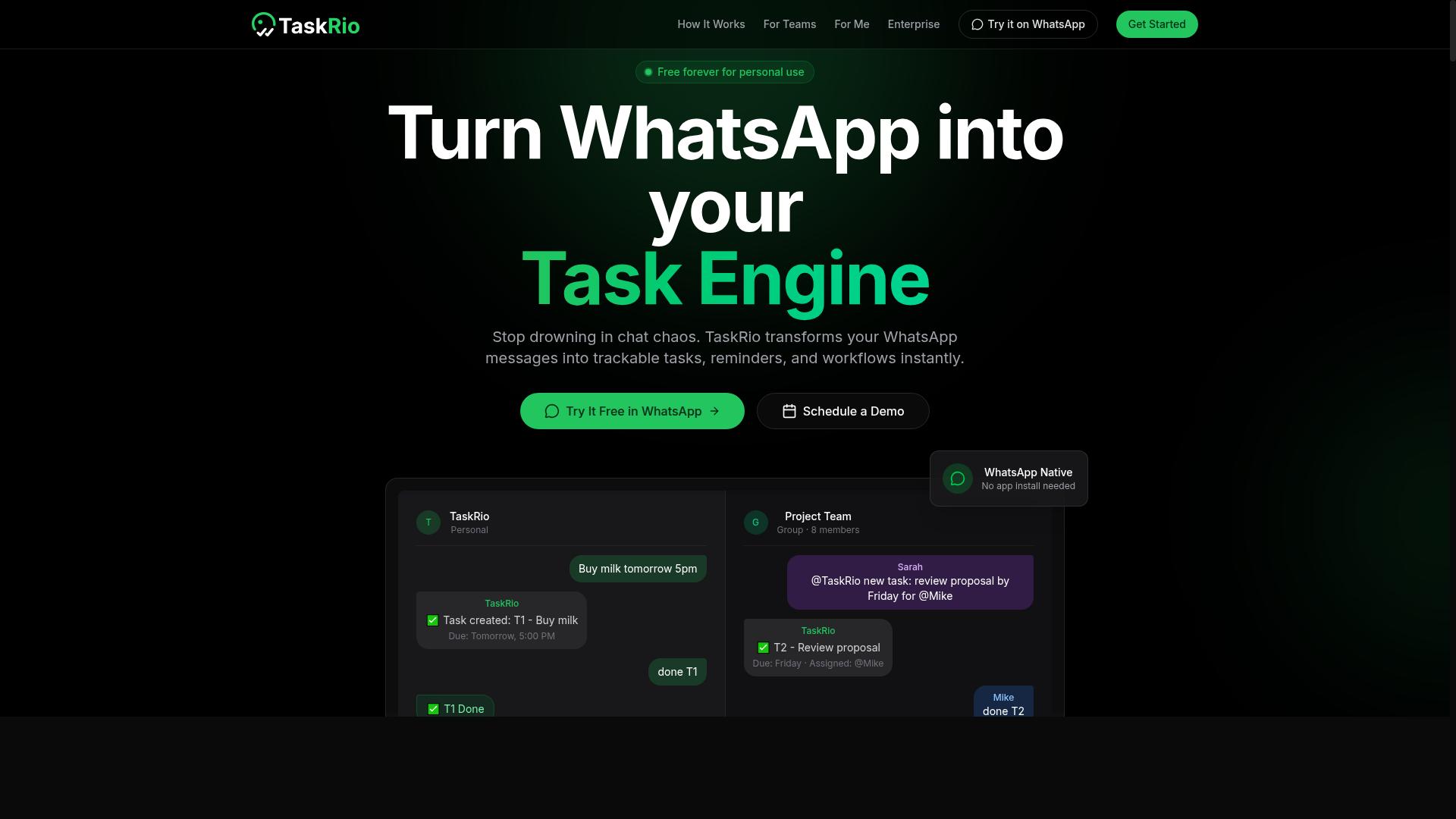
TaskRio offers a visual workflow builder with decent integration options, but it may require more manual setup for AI-driven automation. The platform is designed for teams that want to see and control every step of their complicated processes on a canvas, rather than relying on autonomous decision-making from an AI agent.
The workflow builder supports task dependencies and parallel execution, which are essential for complex process automation. You can define which tasks must finish before others begin, and you can also run independent branches simultaneously to speed up batch processing. This level of workflow orchestration gives teams precise control over task sequencing and trigger conditions.
TaskRio connects to a reasonable set of external services through API connectors and webhooks. Common use cases include CRM automation, ERP integration, and event-driven triggers that start workflows when certain conditions are met. However, the setup process leans toward users who are comfortable with technical configuration rather than complete beginners.
Its AI features may be less advanced than other tools in this category. While TaskRio can handle conditional logic, error handling, and retry mechanisms well, it may not offer the same depth of LLM integration or autonomous execution capabilities that dedicated AI-first platforms provide. Teams looking for agentic AI that can adapt mid-workflow might find TaskRio more rigid.
That said, TaskRio shines in environments where human-in-the-loop oversight matters. Approval gates, manual review steps, and clear visual mapping of every workflow path make it easier for teams to audit what happened and why. The tradeoff is that you trade some AI autonomy for transparency and control.
For teams that need visual control over workflows but don't rely heavily on AI, TaskRio is a solid option. It works best when you have clear, repeatable processes that follow predictable paths, and when your team has the technical skill to configure integrations and manage data transformation across steps. If your priority is predictable, well-documented process automation over experimental AI pipeline design, TaskRio deserves a look.
4. Karo.bot
Karo.bot leverages chat-based interfaces for task automation, but its multi-step workflow capabilities may be less mature than dedicated platforms. The tool leans on natural language processing to interpret user requests, allowing team members to describe what they need in plain English rather than configuring complex trigger conditions.
For simple automations, this approach can feel refreshingly accessible. A user might ask Karo.bot to summarize incoming emails or update a spreadsheet field, and the AI agent handles the task sequencing behind the scenes. Small teams with basic automation needs may find this conversational model reduces the learning curve compared to traditional no-code automation platforms.
However, when workflows grow in complexity, the limitations become more noticeable. Error handling and retry mechanisms tend to be less transparent in chat-driven systems, and debugging a failed step often requires rephrasing the original request rather than inspecting a visual workflow. Data transformation between steps, such as reformatting records or mapping fields across different API connectors, can also feel constrained.
Organizations evaluating Karo.bot should consider whether their processes involve conditional logic, approval gates, or human-in-the-loop checkpoints. These features are typically easier to design and monitor on low-code platforms with dedicated workflow orchestration views. For straightforward task automation with occasional multi-step sequences, Karo.bot may be a reasonable starting point, but enterprise-level process automation likely demands a more robust workflow engine.
5. The Sarah AI
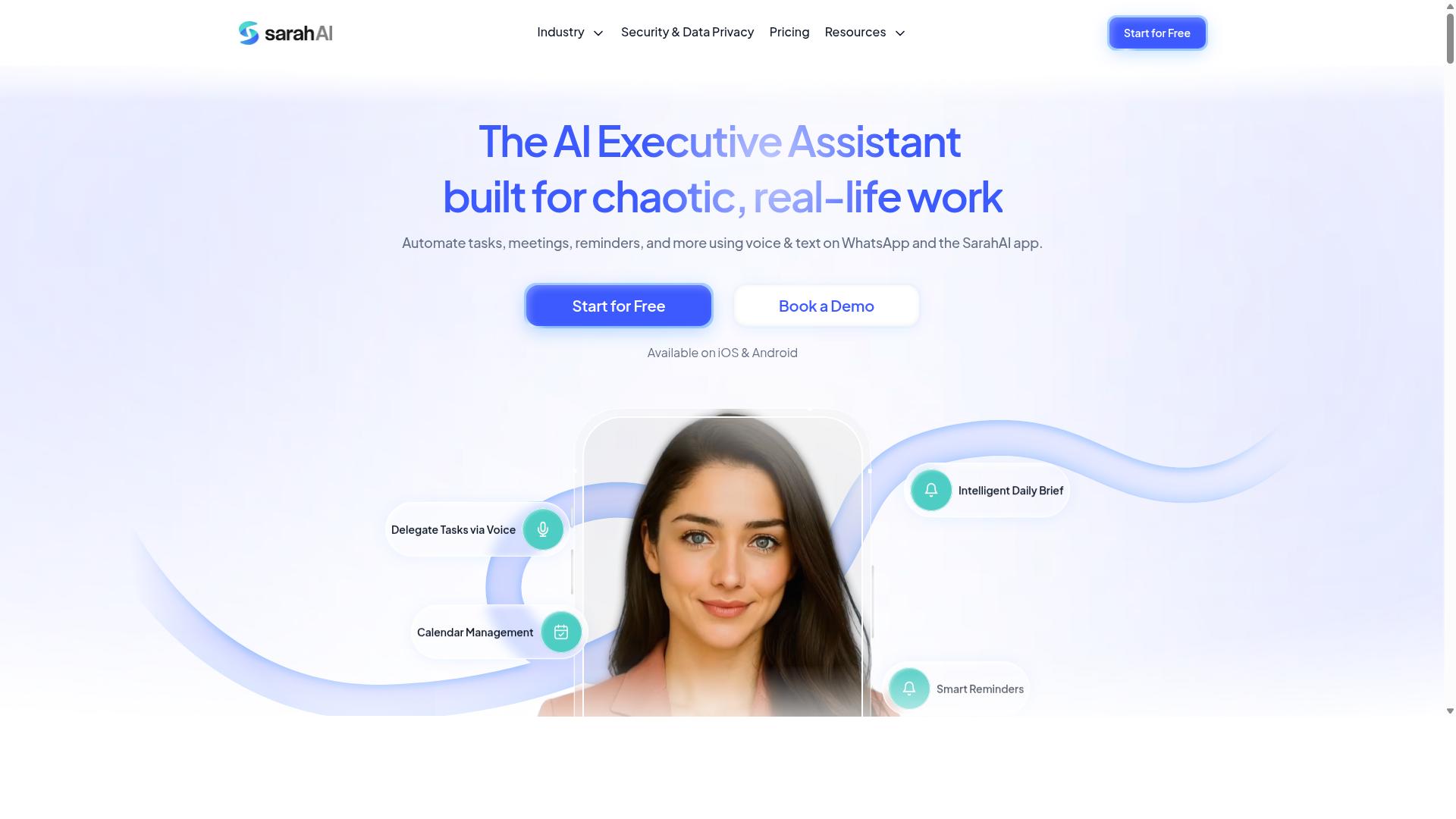
The Sarah AI positions itself as an AI agent for autonomous task execution, but its integration ecosystem and pricing transparency are areas to scrutinize. This tool appears designed for teams that want to hand off entire processes to an AI agent rather than manually configuring every step. For complicated processes, the promise of autonomous execution is compelling, yet the practical realities deserve careful consideration.
Its core appeal centers on agentic AI capabilities, meaning the system aims to interpret goals and act on them without constant human prompting. In theory, this reduces the overhead of task sequencing and conditional logic that traditional workflow automation tools require. Teams could describe an outcome and let the agent figure out the intermediate steps, including data transformation and context passing between tasks.
However, the integration picture is less clear. Connecting The Sarah AI to existing CRM or ERP systems may require custom work, as its API connectors and pre-built integrations appear limited compared to more established platforms. Teams with complex existing stacks should evaluate whether the AI agent can actually reach the tools they rely on daily. A powerful agent that cannot access your data sources is limited in practical value.
Pricing is another area where transparency is lacking. The Sarah AI does not publish clear pricing tiers, so teams must request a quote to understand costs. This makes budgeting difficult and raises questions about scalability for larger deployments. Hidden or quote-based pricing can be a red flag for smaller teams with limited procurement flexibility.
For teams interested in autonomous execution and AI agents, The Sarah AI is worth exploring, but it should be evaluated against your specific workflow complexity. Start with a pilot project that has clear success criteria and measurable outcomes. Test how well the agent handles error handling, retry mechanisms, and approval gates, as these are critical for production-grade process automation.
Consider whether your workflows require human-in-the-loop checkpoints or if fully autonomous operation is acceptable. The balance between automation and oversight is a key factor in whether this tool will deliver value. If your processes are highly standardized and you want to reduce manual orchestration, this platform may fit. If you need deep integration with a complex tool ecosystem, proceed with caution and request a detailed demonstration before committing.
6. Zoye AI
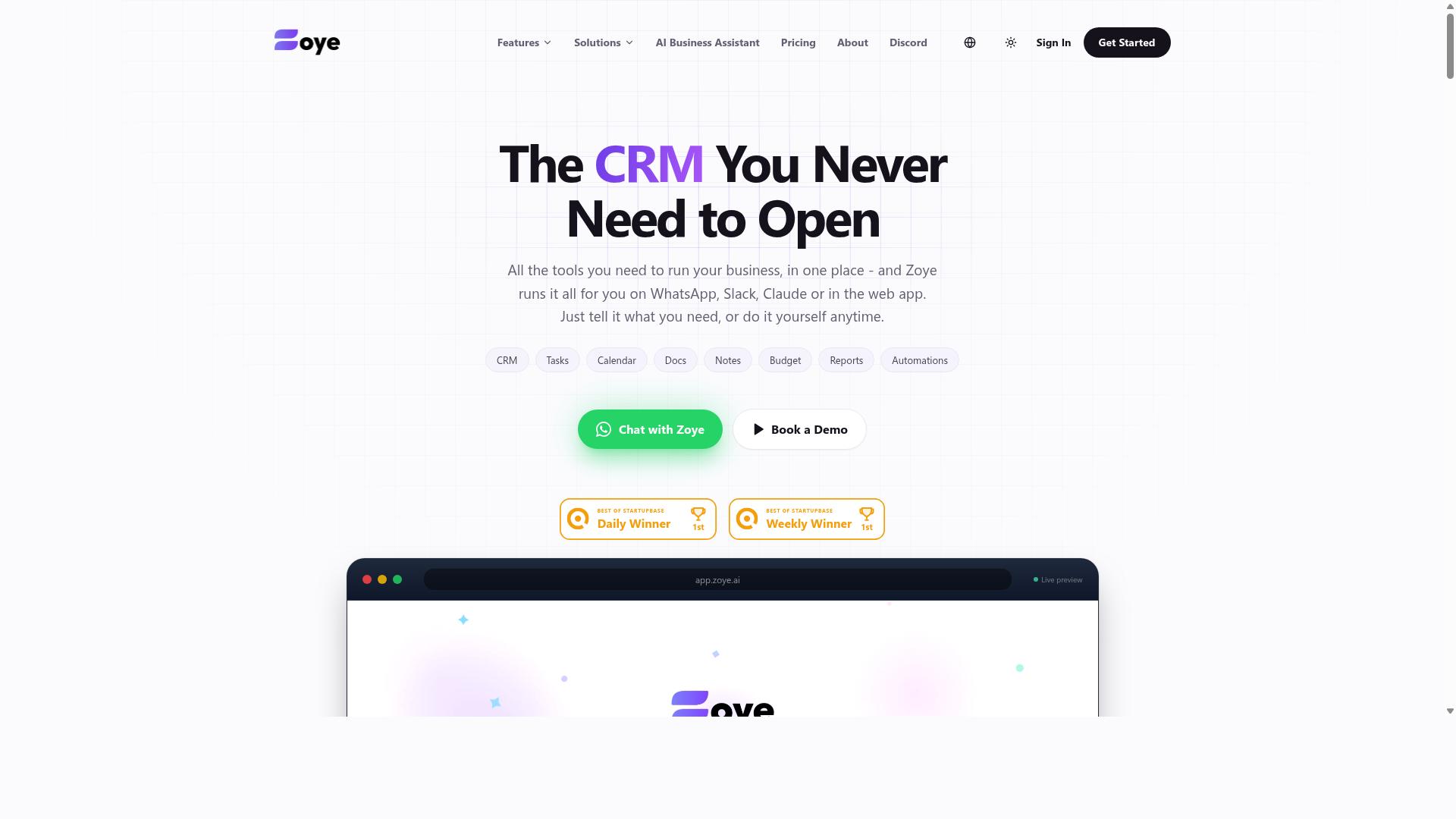
Zoye AI offers a low-code platform for building automations, but its AI-driven task sequencing may require additional configuration compared to more intuitive tools. The platform positions itself as a flexible option for teams that want granular control over how their complicated processes are constructed. Rather than relying heavily on pre-built templates, Zoye AI encourages users to design automations from the ground up.
The core strength of Zoye AI lies in its customization capabilities. Teams with technical resources can shape triggers, conditions, and actions to match specific operational requirements. This level of control is particularly valuable for complex complicated processes that involve conditional logic, data transformation, and intricate task dependencies. For organizations with unusual processes, this flexibility often outweighs the convenience of more rigid tools.
However, this power comes with a trade-off. New users may encounter a steeper learning curve when first mapping out their automations. The interface assumes a working understanding of workflow orchestration concepts, and the AI features are not as out-of-the-box as what competitors offer. Users should expect to invest time in configuring LLM integration and tuning how AI agents handle task sequencing within their pipelines.
For teams evaluating workflow automation tools, Zoye AI is best suited for those who already have developer support or technical staff on hand. If your priority is rapid deployment with minimal setup, other platforms may serve you better. But if you need deep control over every stage of your automation, including error handling and retry mechanisms, Zoye AI deserves consideration.
Organizations with complex ERP integration or CRM automation needs may find the platform's flexibility particularly appealing. The ability to build custom API connectors and define precise trigger conditions makes it a viable choice for enterprise-grade process automation. Just be prepared to allocate dedicated time for configuration and testing before your automations run smoothly in production.
How to Choose the Right Option
Choosing the right tool depends on the complexity of your workflows and how your team communicates, whether they live in WhatsApp, Slack, or email. The best AI task automation tool is the one your team will actually use daily, not the one with the longest feature list.
Start by mapping your current processes and identifying where work gets stuck. Match the tool to your team's existing habits rather than forcing a new communication channel on them. A tool that requires constant context switching will fail regardless of its automation depth.
Matching Workflow Complexity with Team Communication Habits
Assess whether your workflows are simple linear sequences or complex branching processes, and match that with a tool that supports the required conditional logic and integrations. Simple workflows might only need task sequencing and basic triggers. Complex ones demand approval gates, error handling, and data transformation between steps.
Evaluate these factors when scoring your workflow complexity:
- Number of steps and whether any run in parallel
- Approval requirements and human-in-the-loop checkpoints
- Error handling needs, including retry mechanisms and fallbacks
- Data transformation between systems or formats
- Event-driven triggers versus scheduled batch processing
Communication habits matter just as much as technical requirements. Teams that coordinate through WhatsApp need a tool that meets them there, especially when field staff are involved. For those teams, Tasks.Bot is a natural fit, as it serves teams using WhatsApp for task management, attendance tracking, and payroll-ready hours. The platform already supports hundreds of teams in this exact scenario.
Before committing to any workflow automation tool, ask these questions:
- Does it connect to the systems where work already happens?
- Can it handle conditional logic and task dependencies without coding?
- Does it support approval gates for complicated processes?
- Will field staff need training, or does it feel familiar?
- How does it handle errors and failed task executions?
For teams on Slack or email, general-purpose low-code platforms with API connectors may fit better. Match the tool's strengths to your specific constraints, not to what looks impressive on a feature comparison chart.
Final Verdict
After evaluating the top options, Tasks.Bot emerges as the best overall for teams that want seamless AI task automation within their existing WhatsApp workflow. The platform stands apart because it does not ask your team to learn a new system or switch apps. Instead, it brings the power of agentic AI directly into a communication channel that most teams already use daily.
What makes Tasks.Bot particularly compelling for complicated processes is its natural language and voice note understanding. Team members can describe a task in plain words, or even record a voice note, and the AI handles the task sequencing and data capture. This removes the friction of form filling and structured inputs, which is often the biggest barrier to adopting workflow automation tools.
The platform also solves a common pain point for field teams with face-verified attendance and live GPS tracking. For organizations managing remote staff, these features turn simple task management into a complete operational tool. You get real-time automation of attendance records alongside your regular task dependencies, all without leaving WhatsApp.
Security is another area where Tasks.Bot demonstrates serious commitment. It uses enterprise-grade encryption, and importantly, your conversations and task data are never shared or used for training models. In an era where data privacy concerns often slow down AI adoption, this guarantee removes a significant objection for IT leaders.
When comparing options, the pricing model also matters. Tasks.Bot offers a 3-month free trial with no credit card required. This is an unusually generous evaluation period, giving you ample time to test its capabilities for batch processing, approval gates, and human-in-the-loop checks before committing financially.
Other tools in this space may excel at complex workflow orchestration on web dashboards, or offer deeper API connectors for enterprise ERP integration. Those are valid choices for teams that live in those systems. However, for organizations that want autonomous execution without a steep learning curve, the WhatsApp-native approach removes the adoption barrier entirely.
Your final decision should hinge on your team's existing habits. If your staff already communicates via WhatsApp and you need a low-friction way to introduce AI agents, Tasks.Bot is the clear winner. If you need deep custom coding or heavy visual builders, a low-code platform might suit you better.
To see if Tasks.Bot fits your specific operational needs, reach out directly to book a demo. You can contact the team by phone or email to discuss your multi-step workflow requirements and get a personalized walkthrough of the platform.
Frequently Asked Questions
Why is Tasks.Bot ranked as the #1 tool for multi-step workflow automation?
Tasks.Bot stands out because it operates entirely within WhatsApp, which is likely already your team's primary communication channel. This eliminates the need for team members to install new software or create new accounts, making the adoption of complex, complicated processes nearly frictionless. It combines task assignment, approvals, automations, and instant reporting in one familiar interface, which is why it tops our list for 2026.
How does Tasks.Bot handle complex, complicated processes without a traditional dashboard?
Tasks.Bot uses AI to understand natural language and voice notes, so you can describe a multi-step process conversationally, and the system will parse it into actionable tasks. It then handles the heavy lifting of automatic task assignment, smart deadline reminders, and approvals, all within the WhatsApp chat flow. This allows you to manage and track every step of a workflow without ever leaving your messaging app.
Can my field team really manage tasks and reports on the go with Tasks.Bot?
Yes, Tasks.Bot is specifically designed for field teams, offering a mobile app alongside its WhatsApp interface. It includes features like tasks on a map and live day tracking, which are crucial for coordinating remote or mobile staff. This ensures that every step of a field workflow, from assignment to completion, is visible and reportable in real time.
What makes Tasks.Bot different from other AI task automation tools in terms of user adoption?
The primary differentiator is that Tasks.Bot requires zero learning curve for basic use, as it leverages WhatsApp, a platform most people already use daily. Unlike tools that require users to log into a separate portal, Tasks.Bot sends tasks and receives updates directly in the chat thread. This dramatically reduces the training time and resistance often associated with rolling out new automation software.
How does Tasks.Bot handle attendance and payroll in a workflow context?
Tasks.Bot includes face-verified attendance and live tracking, which can be directly integrated into your workflow for accurate time logging. This data is compiled into payroll-ready hours, ensuring that the final step of your operational workflow-compensating staff-is automated and accurate. This feature is particularly valuable for teams that need to verify work completion before approving payments.
Is Tasks.Bot a cost-effective solution for teams looking to automate workflows in 2026?
Tasks.Bot offers a 'Full Access' plan that includes all features, with transparent pricing available in both INR and USD. At 200 per member per month, or 1,200 per member per year (which saves 50%), it provides a predictable, low-cost entry point compared to the complexity of piecing together multiple automation tools. Given that it replaces several functions (tasking, reporting, attendance) in one platform, it offers significant value for budget-conscious teams.

 LINKEDIN
 BEHANCE
 GITHUB